

iPhone app
Protector de Documentos
Share your ID knowing what each copy is for.
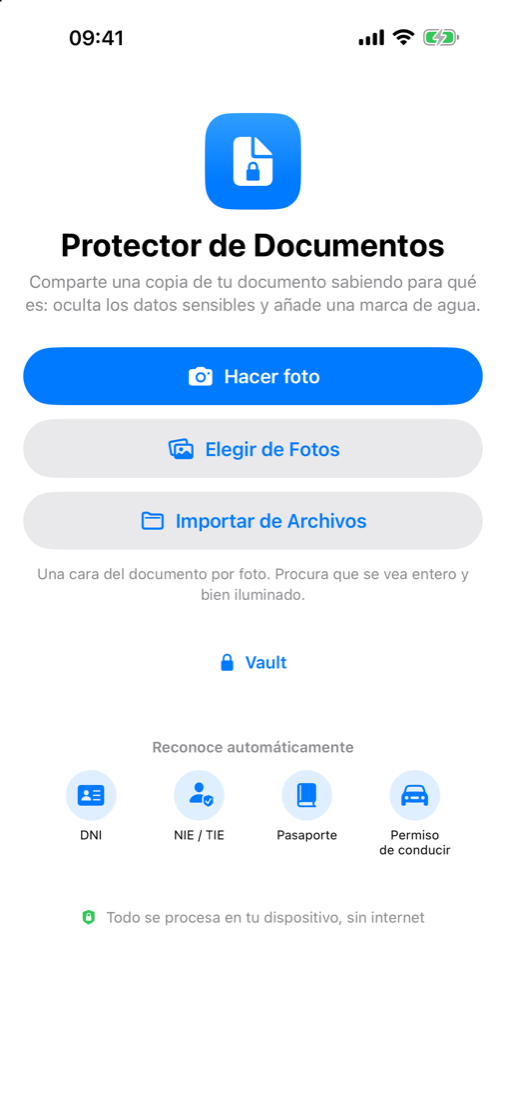
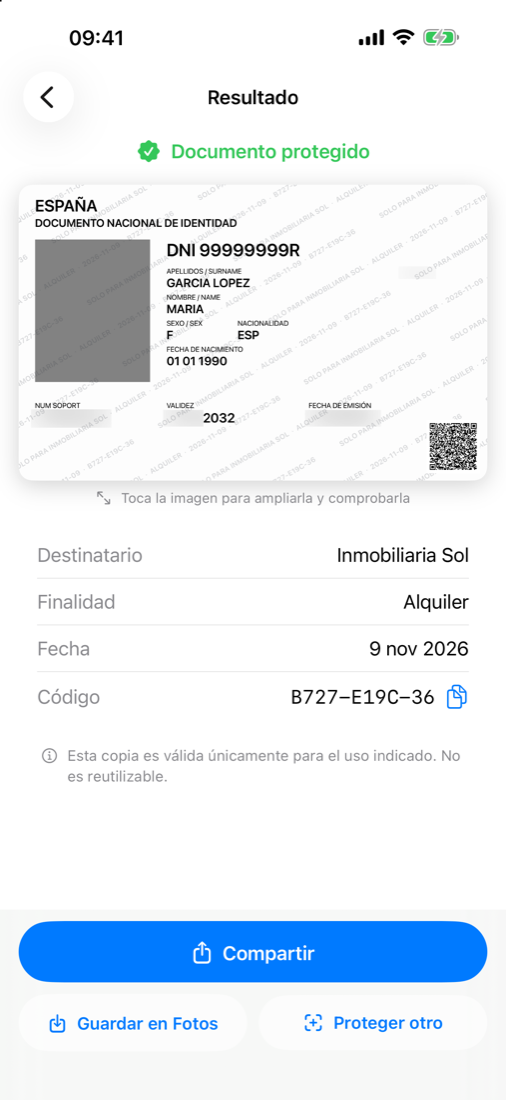
Scan the document, hide what is not needed and get a black-and-white copy with a discreet watermark —recipient, purpose and date— and a QR code. And if you like, keep it encrypted in your iPhone’s Vault so you do not have to scan it every time.
iOS 17 or later, iPhone only. The app is in Spanish, Catalan, Galician and Basque, following the device language. No accounts and no internet connection needed.
- Everything runs on your iPhone
- Vault encrypted, Face ID access
- No accounts, no tracking



What Protector de Documentos does
- Scan, import or pick
- Use the camera, pick a photo or import a PDF or image from Files. The app crops and straightens the document by itself.
- Automatic detection
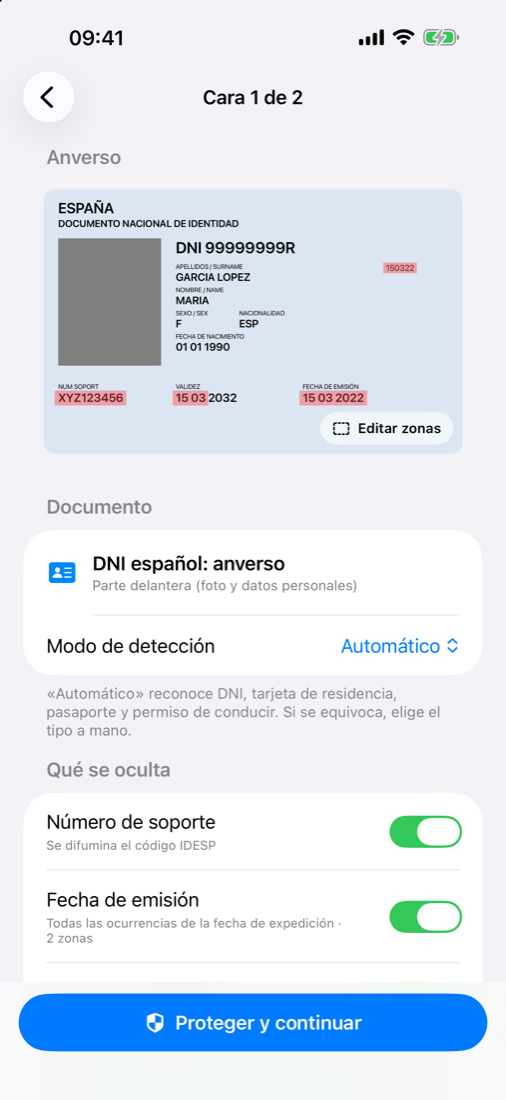
- It recognises the Spanish DNI (front and back), residence card (NIE), passport and driving licence, and suggests what to hide: support numbers, issue dates, day and month of validity, the MRZ zone…
- You have the last word
- If something is not detected, mark it with your finger. You can move, resize, delete and undo. You can also choose the document type by hand or work with manual selection only.
- Consistent watermark
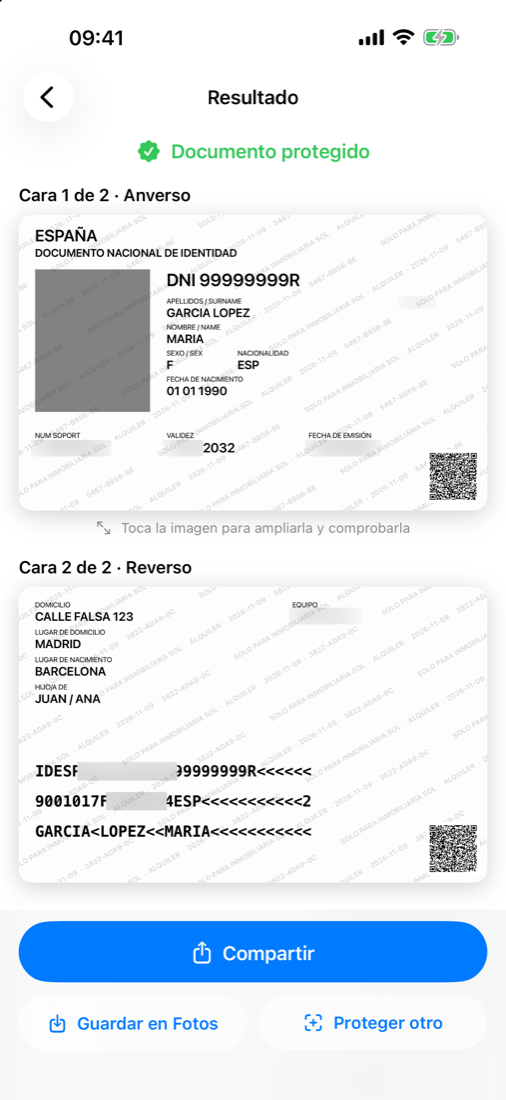
- A single line with recipient, purpose, date and code, repeated diagonally, in three strengths: Discreet, Standard and Reinforced. With a live preview.
- QR code
- Each copy carries a QR with the recipient, purpose, date and a signature, so it is clear what that copy was made for.
- Encrypted Vault
- Keep the front and back of your documents, encrypted on your device and protected with Face ID, Touch ID or the passcode. It locks when you leave the app.
- Two-step sending
- Pick the document from the Vault and the app prepares one protected image per side, with the same recipient and purpose. The original never leaves.
- No metadata
- The image you share carries no location, device or other metadata.
Frequently asked questions
Do I need an account?
No. Protector de Documentos has no accounts and no servers of its own: everything runs on your iPhone and the app needs no internet.
What happens to my documents?
Nothing: {owner} neither receives nor has access to them. If you keep them in the Vault, they are stored encrypted on your device only. It is explained in the app’s privacy policy.
Is the Vault backed up?
No: the Vault is excluded from iCloud and computer backups, and the encryption key never leaves the device. If you remove the iPhone passcode or restore your backup on another device, the Vault cannot be recovered and you must start again.
Does the watermark have legal value?
Not by itself. It discourages reuse of the copy and shows who and what it was made for, but it is not a legal guarantee and does not replace the original document.
Can detection fail?
Yes, especially in low light, with reflections or crooked photos. Always check the hidden areas before sharing; you can adjust them by hand.
Does it work on iPad?
For now it is designed for iPhone only.
Protector de Documentos is a support tool. The watermark and the QR code discourage reuse of the copy but have no legal value by themselves and do not prevent misuse. Automatic detection can fail: always check the hidden areas before sharing.
Legal information and help
Want something like this for your business?
The same ideas and the same care, applied to your product. Tell us what you need.